Settings
keep the display on, the battery floor, pausing in Low Power Mode, a notification when it ends, what a click does, a weekday schedule, and staying awake while plugged in, on an external display, on a VPN or while downloading.
About
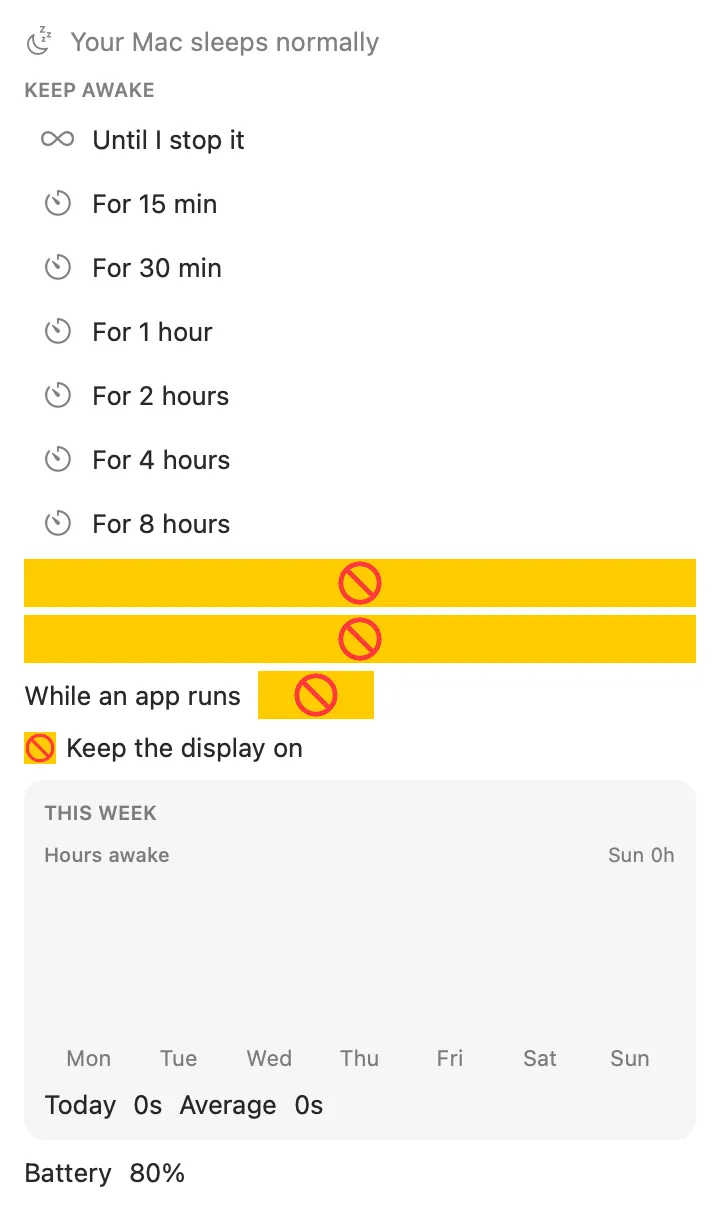
Keeps your Mac awake for a while, until a time, while an app runs, on a weekday schedule, or until you say stop. It lets go when the battery runs low, and the host releases the sleep assertion if the plugin ever stops or crashes, so it can’t leave the Mac awake by accident.
Inside
keep the display on, the battery floor, pausing in Low Power Mode, a notification when it ends, what a click does, a weekday schedule, and staying awake while plugged in, on an external display, on a VPN or while downloading.
awake_status, keep_awake and allow_sleep.
Install
Don't have Stackbar yet? Download it free.
stackbarctl install --index https://navbytes.github.io/stackbar-plugins/index.json io.navbytes.stackbar.stay-awake