In the panel
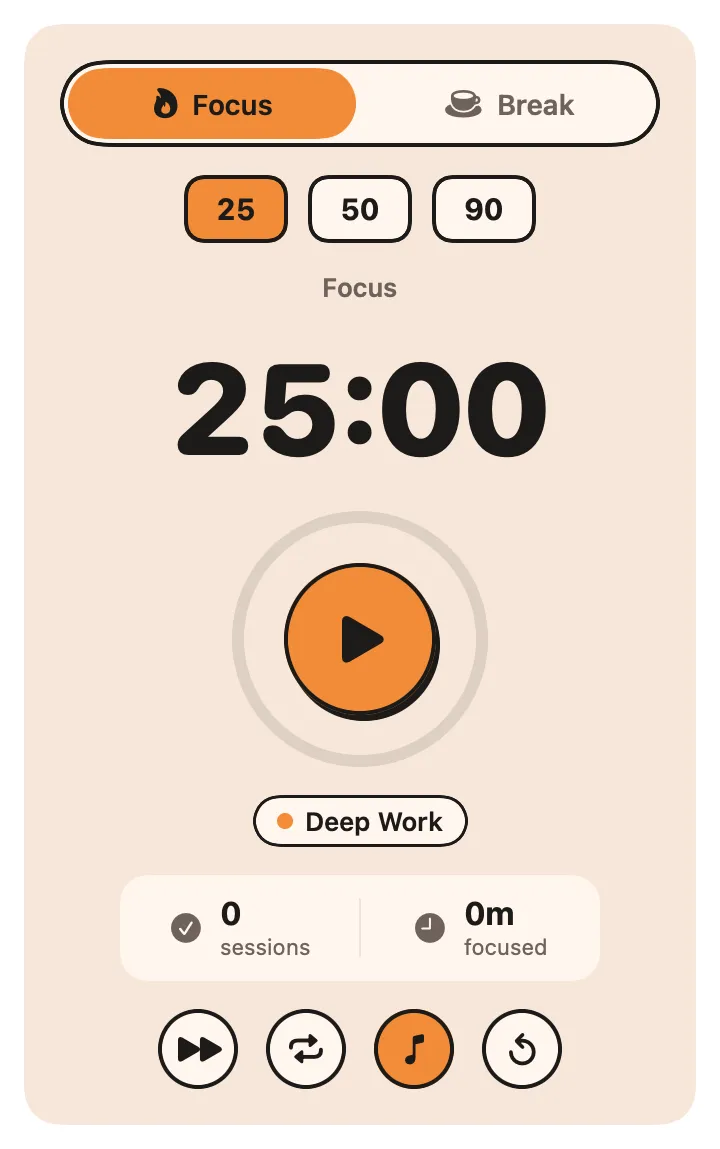
the tag chip cycles through your tags; skip ends the session without counting it; Auto starts the next session on its own; the note turns the sound on or off; reset clears the timer.
About
A focus timer with its own warm look. Pick Focus or Break, a preset (25, 50 or 90 minutes of focus; 5, 10 or 15 of break), and press play. The countdown and the ring around the play button move on their own, the menu bar shows the time left, and a chime and a notification mark the end. Today’s finished sessions and focused minutes sit under the timer.
Inside
the tag chip cycles through your tags; skip ends the session without counting it; Auto starts the next session on its own; the note turns the sound on or off; reset clears the timer.
custom focus and break lengths, auto-start, the sound, and your tags.
status returns the mode, the time left and today's focus.
Install
Don't have Stackbar yet? Download it free.
stackbarctl install --index https://navbytes.github.io/stackbar-plugins/index.json io.navbytes.stackbar.plugins.pomodoro