← All plugins
Productivity

Translate

Translate the selected text, in your browser or in place with DeepL.

  • Signed by navbytes
  • Runs in its own sandbox
  • v1.0.0
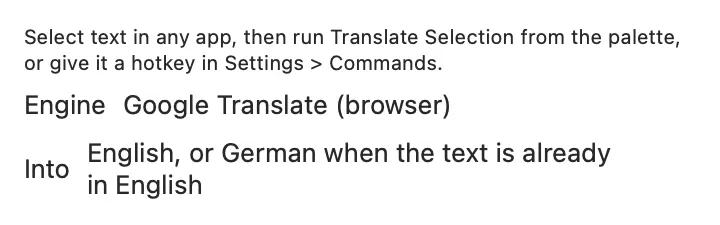
Translate's panel

About

Translates the text you selected. Run Translate Selection from the palette, or give it a hotkey in Settings > Commands. When an app doesn’t share its selection, it uses what you last copied.

Inside

Everything it does.

Engines

- Google Translate (browser), the default: opens translate.google.com with the text filled in. No account or key. - DeepL: translates in place, so you can paste the result over the selection (your clipboard comes back afterwards) or copy it. It needs a DeepL API key; the free plan covers 500,000 characters a month. Text that is already in your target language is translated into your second language instead, so one command goes both ways.

Settings

the engine, the language to translate into and the second language, and DeepL's formality.

Commands

Translate Selection, Translate Selection in Google Translate.

Install

Two clicks in Stackbar.

  1. Open Stackbar → Settings → Store.
  2. Find Translate and choose Install.
  3. It appears in your panel.

Don't have Stackbar yet? Download it free.

Or from a terminal
stackbarctl install --index https://navbytes.github.io/stackbar-plugins/index.json io.navbytes.stackbar.plugins.translate
Version
1.0.0
Updated
November 1, 2026
Category
Productivity
Shows in
Panel, Settings page
Requires
Stackbar 0.11.0 or later
Publisher
navbytes